Repeated stops in an automated food warehouse are not automatically sensor faults. A misaligned, dirty, damaged, or poorly mounted sensor can create false occupied-zone signals, but the same alarm may result from a skewed pallet, damaged case, drifting conveyor frame, belt-tracking problem, failed drive component, unstable floor condition, or an upstream flow problem.
The most effective approach to automated warehouse sensor misalignment troubleshooting is to make the area safe, capture the fault state before resetting it, then inspect the product path and equipment in a fixed sequence. Do not clear a jam by bypassing guards, overriding safety devices, defeating interlocks, or reaching into equipment that has not been isolated under the site’s authorized energy-control procedure.
Start by separating the symptom from the cause
A controller message such as “sensor blocked,” “zone occupied,” “product not cleared,” or “position not reached” describes what the control system did not see or did see. It does not, by itself, prove why.
For example, a blocked photoelectric sensor may be responding correctly to a pallet that has stopped short of a transfer. The underlying cause may be a roller obstruction, a broken pallet board, a drive issue, or a downstream zone that did not release. Conversely, a clear conveyor may still show occupied if a sensor lens is contaminated, its reflector has moved, its bracket has loosened, or wiring is intermittent.
Treat each event as one of five broad cause categories:
- Sensor and control: dirty lens, shifted alignment, loose bracket, damaged cable, poor connector contact, incorrect setup, failed sensor, or input fault.
- Mechanical obstruction: product debris, damaged pallet, loose wrapping, broken conveyor component, mis-tracking belt, worn roller, or interference at a transfer.
- Product flow and load quality: skewed loads, overhang, unstable cases, variable pallet geometry, poor spacing, or product entering outside the system’s intended envelope.
- Equipment geometry and environment: conveyor or rack movement, loose anchors, frame drift, vibration, floor damage, condensation, frost, dust, or lighting conditions that affect a sensing method.
- Recovery and operating practice: repeated resets without inspection, incorrect manual release, incomplete handoff between operators and maintenance, or a recurring alarm that was closed without evidence.
First response: secure, observe, document
A rushed reset can erase the best evidence. Establish a short first-response routine that operators and maintenance personnel can follow consistently.
1. Stop escalation, not necessarily the whole facility
Follow the facility’s operating and emergency procedures. Keep people clear of moving equipment and active vehicle or robot routes. If the condition presents a risk of unexpected movement, falling product, damaged guarding, or unsafe access, stop the affected equipment and use the required lockout/tagout or other authorized energy-isolation process before inspection.
Do not assume a stopped conveyor, shuttle, automated storage and retrieval system, or robot is de-energized simply because it is not moving. Stored or automatic energy may remain available.
2. Record the fault before clearing it
Capture information that will help distinguish a one-time obstruction from a repeating pattern:
- Alarm text, fault code, equipment ID, zone or station ID, and time.
- Direction of travel and the last known product movement.
- Product type, pallet type, load height, orientation, and visible overhang.
- Whether the stop occurred at the same transfer, merge, accumulation zone, lift, shuttle interface, or rack position as prior events.
- Photographs of the load position, sensor face, reflector, conveyor transfer, and any visible debris or damage, where site rules allow.
- Relevant controller or human-machine interface status, including neighboring zone conditions.
This record matters most for intermittent faults. A system that returns to service after a reset may still be signaling a developing mechanical or alignment problem.
3. Verify the physical condition before changing settings
Avoid adjusting sensor sensitivity, timing, or logic solely to make an alarm disappear. First determine whether the sensor is seeing a real condition. Configuration changes can hide a problem and make later diagnosis harder.
Inspection sequence for sensor faults and jams
A fixed inspection order reduces unnecessary component replacement. Start at the stopped load or faulted zone and work both upstream and downstream as needed.
Check the product and transfer path first
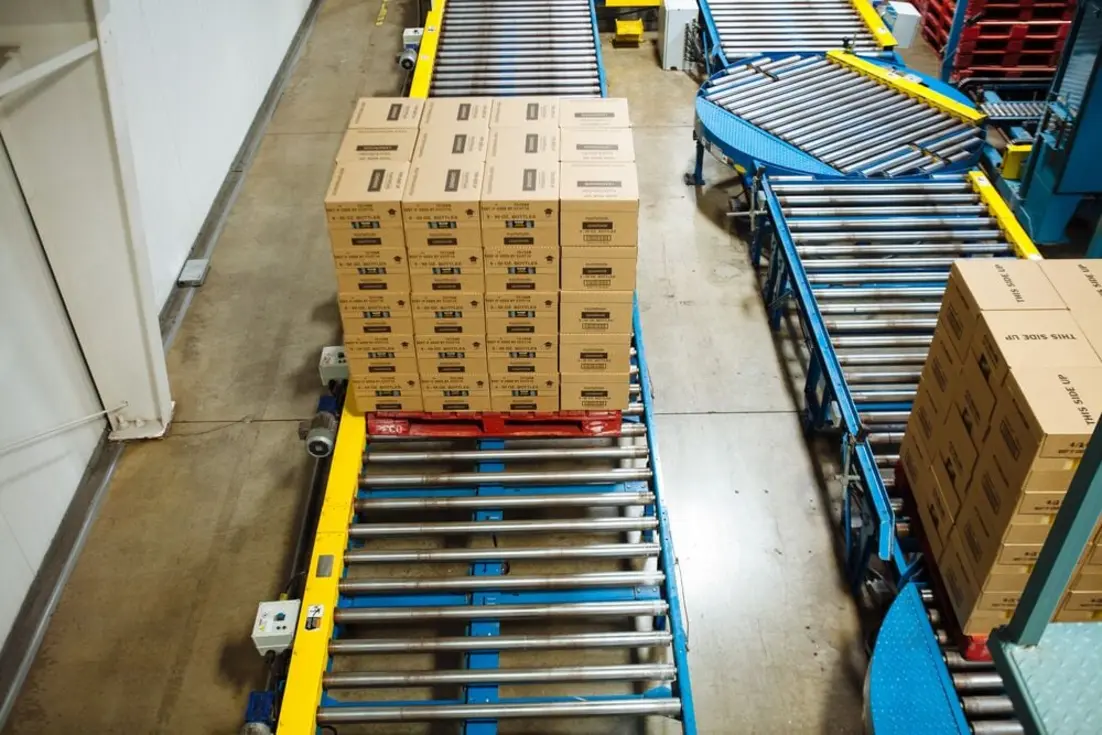
For food warehouse conveyor jam troubleshooting, inspect the actual product path before focusing on electronics. Look for a pallet or tote that is not centered, a load that has shifted, loose stretch wrap, damaged packaging, broken pallet boards, protruding labels, or debris caught near rollers, chains, side guides, stops, or transfer plates.
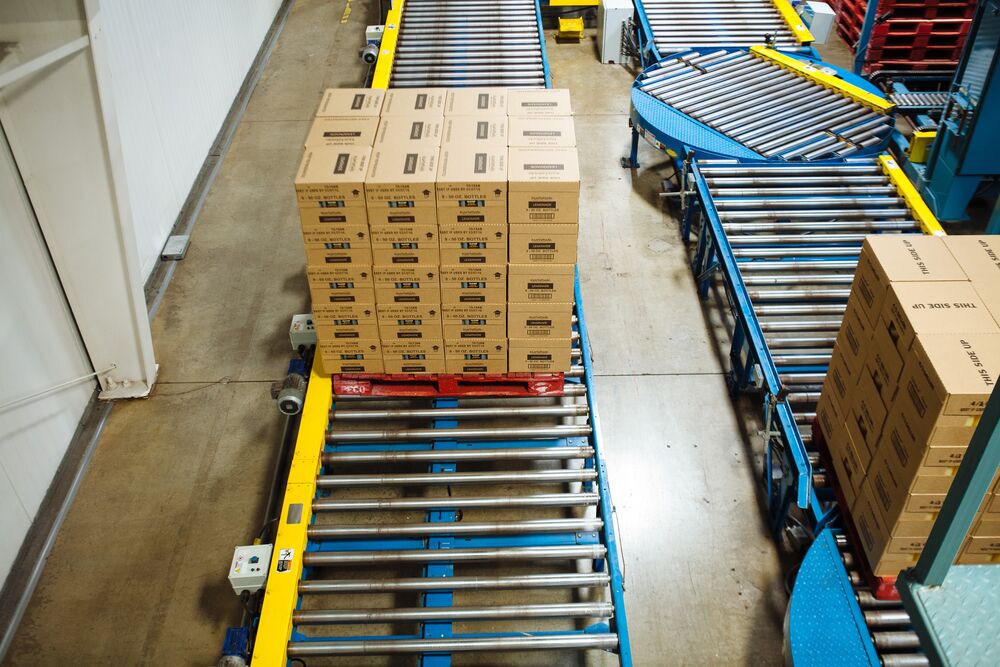
Pay particular attention to transitions. Many recurring jams occur where one motion changes to another: conveyor-to-conveyor transfers, merges, diverts, vertical lifts, pallet dispensers, robot pickup points, and automated storage retrieval system interfaces.
Ask these questions:
- Did the load stop at the same physical point each time?
- Is the product footprint compatible with guide spacing and transfer gaps?
- Does the load travel squarely, or does it drift to one side?
- Are neighboring zones clear and ready to accept product?
- Is a downstream restriction backing product into an otherwise healthy zone?
Source: aec-carolina
If a damaged load caused the stop, remove or rework it only through the approved recovery method. Inspect the path afterward. A single loose strip of wrap or broken wood fragment can cause the next jam immediately.
Inspect sensor position, cleanliness, and target geometry
Once access is safe, inspect the sensor installation. A practical warehouse sensor fault diagnosis includes more than checking whether an indicator light is on.
Check for:
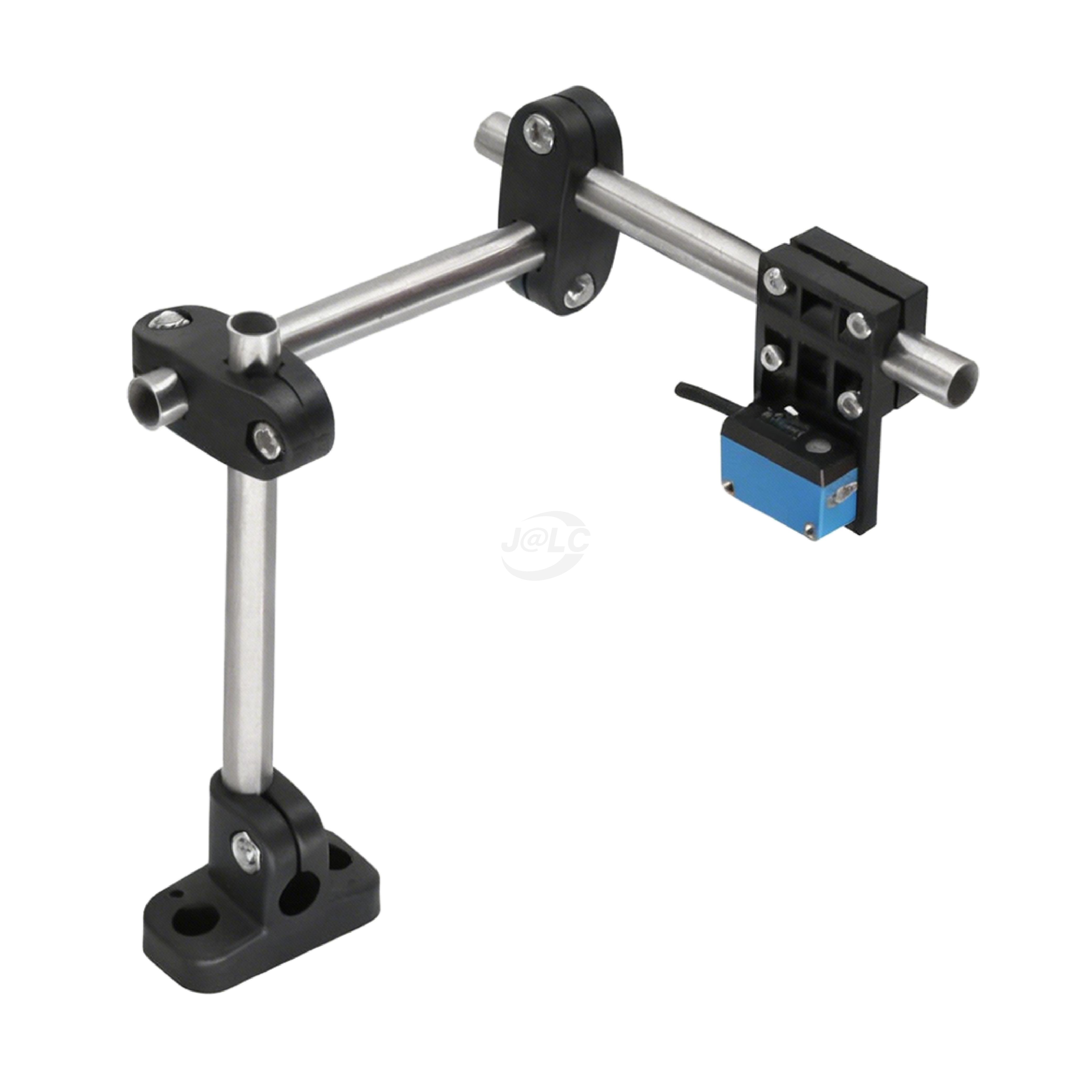
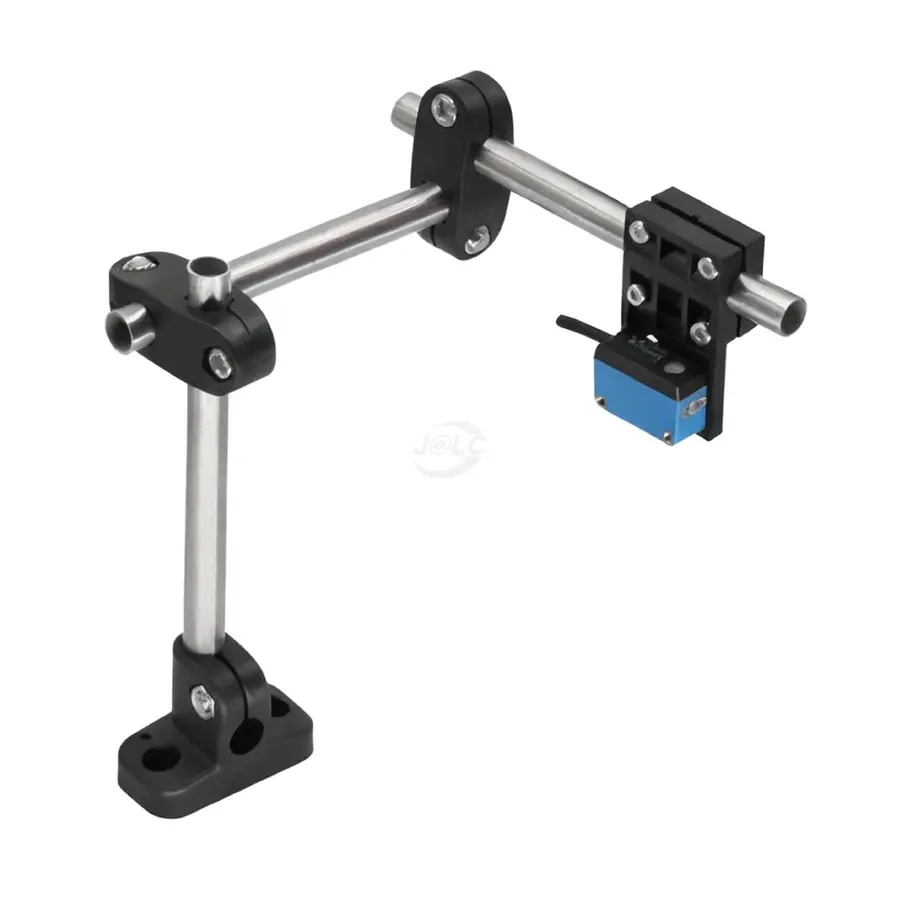
- A loose, bent, cracked, or vibrating mounting bracket.
- A sensor body rotated away from its intended target or beam path.
- A reflector that has moved, become dirty, or been damaged.
- Dust, condensation, frost, film, or product residue on the sensor lens.
- A target that no longer presents a consistent surface because of pallet variation, load overhang, or changed guide position.
- Damage from impact, including fork contact, pallet strikes, or contact with product.
- Cables pulled tight, pinched, abraded, or stressed at the connector.
For opposed sensors, verify that transmitter and receiver alignment has not shifted. For reflective sensors, confirm that the expected target or reflector is present and stable. For sensors used to confirm pallet position, examine whether the pallet is reaching the intended sensing point rather than assuming the sensing point is wrong.
Source: rs.jlcmc
Clean sensor surfaces only using a method compatible with the sensor manufacturer and the facility’s sanitation requirements. In refrigerated or cold storage automation maintenance, inspect for condensation, frost buildup, and cable-jacket stiffness or damage. Environmental conditions can turn a marginal alignment into an intermittent failure.
Check mechanical alignment and motion
A sensor may be correctly installed but mounted on equipment that has moved. Inspect conveyor frames, rails, guides, stops, rollers, chains, belts, and transfer components for signs of looseness, wear, contact, or abnormal tracking.
Useful observations include:
- Belt wear concentrated at one edge.
- Roller or chain noise, resistance, or inconsistent movement.
- Side guides rubbing the product.
- Gaps, steps, or height differences at transfers.
- Loose fasteners, displaced guards, or evidence of repeated impact.
- Frame movement relative to fixed sensors or reflectors.
- Uneven floor conditions, damaged anchors, or vibration near equipment supports.
Do not attempt to correct structural alignment, drive faults, or guarded mechanisms while equipment is energized unless a documented procedure specifically permits the work and qualified personnel are assigned.
Review controls and electrical evidence
After physical checks, use the machine documentation and authorized diagnostic tools to verify whether the input changed when expected. Compare the sensor status at the device, input module, and controller display if those points are available to trained personnel.
A useful distinction is:
| Observation | More likely direction of investigation |
|---|---|
| Sensor is physically blocked and controller shows occupied | Product-flow or mechanical cause may be primary |
| Sensor is clear but local indicator remains active | Contamination, alignment, setup, or sensor failure |
| Local sensor indicator changes but controller input does not | Wiring, connector, input module, or controls issue |
| Controller input changes but sequence does not advance | Interlock, downstream readiness, logic, drive, or communication issue |
| Fault occurs only with a certain pallet or load | Load quality, dimensions, stability, or product presentation |
| Fault repeats at the same time or environmental condition | Condensation, vibration, temperature-related condition, traffic pattern, or scheduled operating event |
Avoid changing programmable logic, safety settings, or motion parameters as a first-line response. Escalate those actions to qualified controls personnel and follow the equipment supplier’s procedures.
Corrective action: repair the failure, then prove the path
The corrective action should match the verified failure mode. Typical actions may include cleaning and realigning a sensor, replacing a damaged bracket or cable, correcting a loose reflector, removing debris, replacing a failed conveyor component, repairing guides, addressing a damaged pallet source, or correcting a downstream release issue.
Before returning the area to normal operation:
- Confirm the obstruction or fault source has been removed or repaired.
- Restore guards, covers, and access controls.
- Remove tools and loose materials from the travel path.
- Complete the site’s authorized release-from-lockout and restart process.
- Test with an approved product or controlled operating sequence where procedures permit.
- Watch the full path through the affected zone and adjacent handoffs, not just the original sensor.
- Record what was found, what changed, and whether the alarm was cleared by a verified repair or only by reset.
A successful restart is not the same as a confirmed root-cause correction. If the event has occurred repeatedly, open a follow-up work order even if the equipment is running.
When to escalate immediately
Escalate to qualified maintenance, controls, engineering, or the equipment provider when any of the following applies:
- The jam involves a guarded area, elevated load, lift, shuttle, robot, crane, or automated storage and retrieval system.
- A safety device, guard, interlock, or emergency-stop function appears damaged or behaves unexpectedly.
- The sensor fault recurs after cleaning and confirmed alignment.
- There is evidence of frame movement, failed anchors, abnormal vibration, damaged drives, electrical damage, or repeated product impact.
- Multiple zones fault together, suggesting a communication, power, or control issue.
- The required repair would involve changing control logic, safety settings, motion settings, or mechanical geometry outside the documented maintenance scope.
- Product damage, sanitation concerns, or cold-storage conditions require a site-specific assessment before restart.
Prevent recurrence with trend-based maintenance
Robotic material handling maintenance is more effective when recurring short stops are treated as reliability data rather than isolated operator interruptions. Review fault history by asset, zone, sensor ID, product type, shift, and environmental condition. A pattern often emerges before a major failure occurs.
Build recurring checks around known failure points:
- Verify sensor bracket tightness, orientation, and clean condition.
- Inspect reflectors, targets, guides, and transfer surfaces for impact damage.
- Check conveyor tracking, roller condition, chain condition, and drive performance.
- Review pallet and tote quality at the source, especially after supplier, packaging, or load-pattern changes.
- Inspect cold-area components for moisture, frost, corrosion, and physical damage.
- Confirm that fault reports include enough detail to distinguish sensor events from product-flow events.
- Train operators to report repeated resets and visible product abnormalities rather than normalizing them.
The practical goal is not to eliminate every stop through more aggressive resets. It is to identify whether the system is detecting a real obstruction, producing a false signal, or being asked to handle loads outside its stable operating condition. That distinction leads to safer recovery and more durable corrective action.
References
- Sensor Misaligned Error? Troubleshooting Guide & Fixes. (n.d.). https://www.justanswer.com/home-improvement/qlsjy-getting-error-sensor-misaligned-however.html
- 5 Tips to Maintaining Warehouse Automation Equipment. (n.d.). https://storage-solutions.com/5-tips-to-maintaining-warehouse-automation-equipment
- Preventative Maintenance for Automated Warehouses. (n.d.). https://mtligroup.com/blog/preventative-maintenance-automated-warehouses
- AMHS Setup Guide: How to Install Automated Material Handling. (n.d.). https://okcobot.com/automated-material-handling-equipment-setup-guide
- Automated Material Handling Systems Failure Priorities - EPLA. (n.d.). https://www.globalscopepro.com/news/AGV_AMR_Robots/Autonomous_Forklifts/Automated_Material_Handling_Systems_Common_Failure_Points_and_Fix_Priorities.html
- Automation & Robotics Fault Detection │ MultiSensor AI. (n.d.). https://www.multisensorai.com/use-cases/automation-robotics-fault-detection
- Troubleshooting Robotic Systems. (n.d.). https://www.linkedin.com/top-content/supply-chain-management/automated-picking-systems/troubleshooting-robotic-systems
- Automated Material Handling Support Services | RPA. (n.d.). https://www.reliableprecisionalignment.com/material-handling-equipment/automated-material-handling-controls