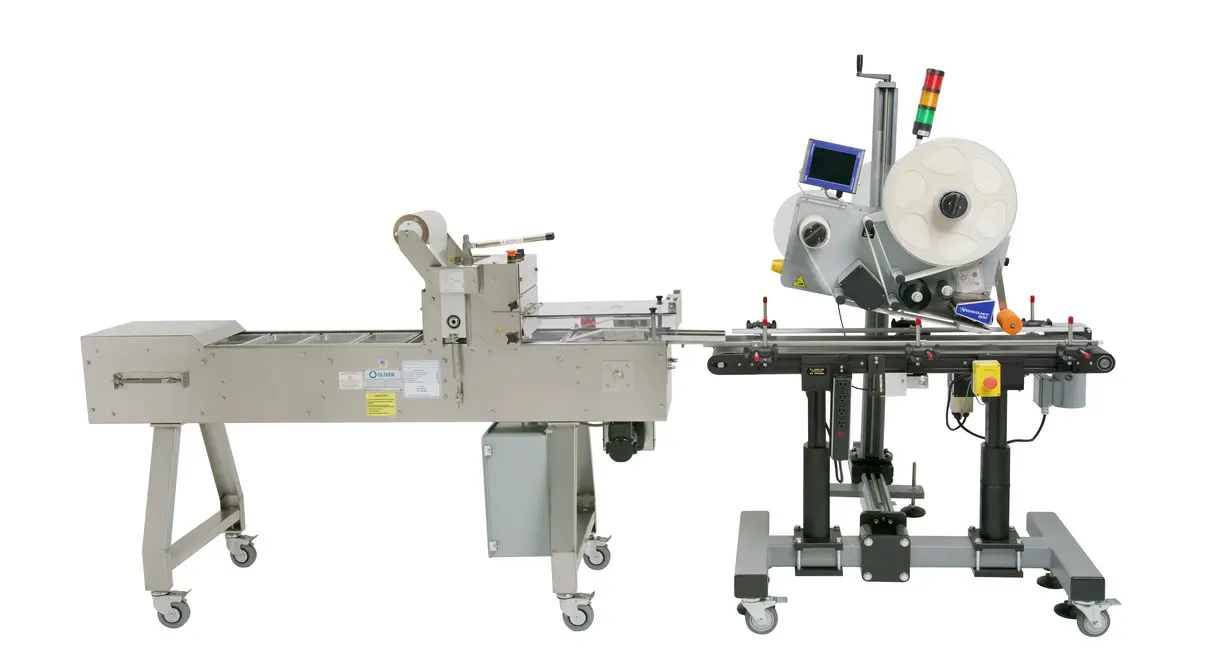
Food label printing software should do more than make a label look correct on screen. A reliable system connects approved artwork, controlled product information, the actual printer or packaging vendor specification, and a documented approval process. The objective is simple: the label applied to a food package must match the approved version and contain the correct data for that product, market, lot, and production run.
The most dependable approach separates fixed artwork from variable data, locks both behind permissions and revision control, then verifies output on the printer or press that will produce the label. This reduces the common failure modes: a label sized for the wrong stock, an outdated ingredient statement, a mismatched barcode, a missing allergen declaration, or a date-code field that prints outside the intended area.
The production workflow at a glance
A food packaging label handoff should move through a defined sequence:
- Confirm the packaging format and printing method.
- Obtain the printer, converter, or packaging vendor template.
- Build fixed artwork to the template specification.
- Create approved sources for variable and regulatory data.
- Build a controlled label template in food label printer software.
- Test print or proof on the intended equipment.
- Run cross-functional approval before release.
- Release only approved versions to production and archive superseded files.
A design file alone is not a production-ready label system. It becomes production-ready only when the artwork, data source, printer settings, and approval status are linked and controlled.
1. Start with the packaging and printing method
The label substrate and print process determine many artwork decisions. Before design begins, identify whether labels will be supplied by a commercial converter, printed in-house as pressure-sensitive labels, applied by an automated labeler, printed directly onto packaging film, or produced through another packaging vendor process.
Ask the printer or converter for its current production specification rather than relying on an old template from a previous job. The requested package should normally include:
- Finished label dimensions and orientation
- Die-line or label-stock layout
- Bleed and safe-area guidance
- Required file format and color setup
- Barcode requirements and recommended placement
- Material and adhesive details where relevant to the application
- Variable-print area and print-direction constraints
- Any minimum type, line, or code-quality requirements
- Proofing and approval procedure
The printer template is a manufacturing document, not merely a design aid. It establishes where artwork can safely sit, how the label is cut or dispensed, and which areas may be occupied by variable information.
Confirm the real label application conditions
A label that appears correct in a digital proof can fail in use if the process conditions were missed. Consider package shape, panel curvature, seams, handles, lids, condensation, refrigeration, oil exposure, abrasion, and labeler application direction. These factors can affect material selection, adhesive performance, readable text placement, and barcode scanning.
The packaging vendor should confirm what it can reliably print and convert. The production team should confirm that the label will fit the actual container and run through downstream equipment without creating application or inspection problems.
2. Separate fixed artwork from variable data
A practical distinction is essential:
- Fixed artwork includes brand graphics, product name, background colors, mandatory statements that do not change by batch, and static copy.
- Variable data includes lot or batch identifiers, date codes, weights, serial numbers, production lines, country-specific data, and sometimes product-specific ingredients or nutrition values.
Keeping these elements separate prevents routine production users from editing the full label design to change a date, lot, or item code. Label-management platforms and enterprise labeling systems commonly support locked templates, user permissions, centralized data, and print interfaces that limit operator input. That model is useful whenever labels are printed across shifts, sites, or product families.
[[IMAGE:label-workflow]]
Build one approved data source for each field
The main control point is not the label screen; it is the source of each variable field. For every field, define:
- Field name and intended label location
- Data owner
- Authoritative system or approved master-data source
- Permitted format
- Whether operators may enter it manually
- Validation rules
- Approval requirement when the field changes
For example, an item description may come from product master data, a lot identifier from a production or ERP system, and a use-by or best-before value from a controlled coding rule. Avoid retyping the same information into separate design, spreadsheet, and printer applications. Multiple uncontrolled copies create opportunities for mismatch.
3. Control ingredients, allergens, and nutrition information
Ingredient statements, allergen declarations, and Nutrition Facts information require a different level of review from ordinary marketing copy. They may be generated from recipe, formulation, supplier, nutrition-analysis, or product-lifecycle-management data, but the output still needs an accountable review process.
Do not assume food label printing software determines legal compliance by itself. Some systems can generate ingredient statements, allergen information, and nutrition panels from structured product data, while others focus primarily on label layout and printing. In either case, the manufacturer remains responsible for confirming the content, format, and market applicability.
Before approval, the responsible regulatory or quality function should verify, using applicable official requirements and current product records:
- The ingredient statement matches the released formulation.
- Allergen information reflects ingredients, processing realities, and the company’s approved labeling policy.
- Nutrition information is based on the approved calculation, analysis, or other valid basis used by the business.
- Required product identity, net quantity, company information, and other mandatory declarations are appropriate for the destination market.
- Claims, certifications, country-of-origin statements, and handling instructions have been reviewed where used.
A formula change, supplier substitution, serving-size change, or market expansion can trigger a label review even if the brand artwork has not changed. Treat this as a formal change event, not a quick text update.
4. Build the label template for the selected printer
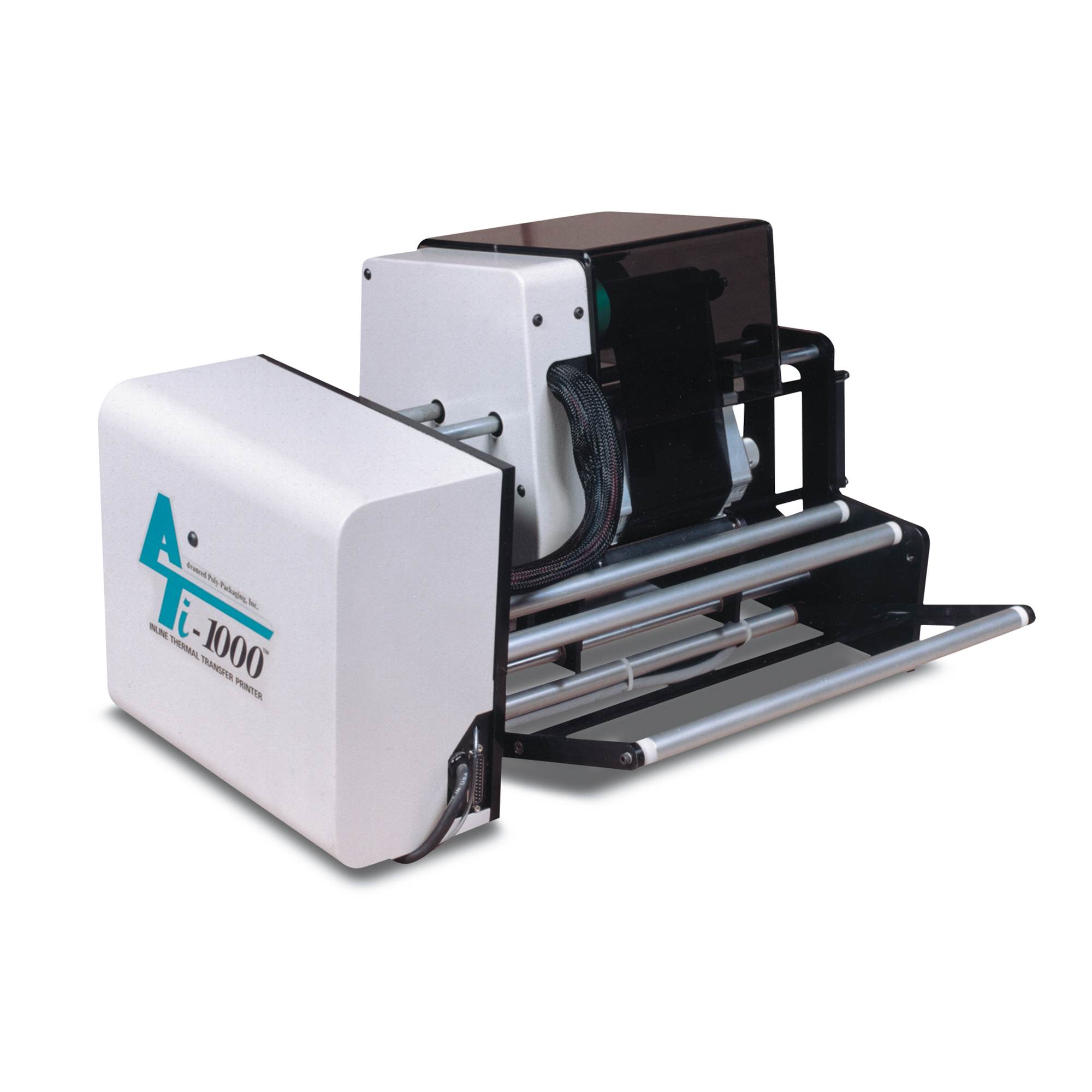
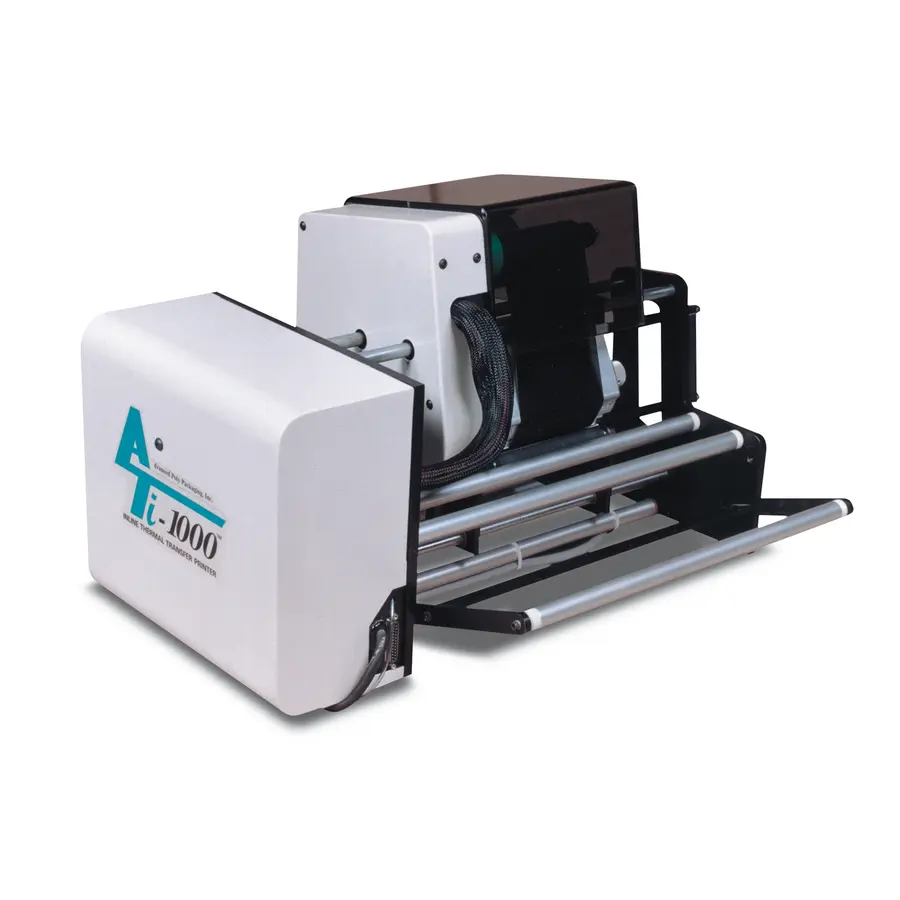
Food label printer software translates approved content into printer instructions. Compatibility is more than whether a driver installs successfully. The template must match the printer resolution, print technology, label dimensions, media path, sensor method, and command language or driver environment.
For thermal-transfer or direct-thermal printing, confirm the label stock, ribbon where applicable, print darkness or energy setting, print speed, and intended printhead resolution with the printer supplier or internal technical team. These settings influence legibility and barcode performance. For color label printers, also confirm supported media, ink or toner behavior, color-management method, and drying or handling constraints.
Printer setup checklist
Before releasing a template, verify:
- Correct printer model and driver or native printer language
- Correct label width, height, gap, notch, black mark, or continuous-media setting
- Correct print orientation and media feed direction
- Correct sensor selection and calibration procedure
- Correct variable-field locations and text expansion behavior
- Font availability and fallback behavior
- Barcode symbology, size, quiet zones, and human-readable text requirements
- Appropriate raster images and logo resolution for the printer
- A clear response if data are missing, invalid, or too long
A template should fail safely from an operational perspective: if a required field is absent or invalid, the system should stop the print job or clearly flag the exception for authorized review. It should not silently substitute an old value or force text into an unreadable area.
Source: bagmatic
5. Use vendor templates correctly for preprinted labels
For commercially printed labels, the artwork handoff normally starts with the vendor’s die-line. Keep the die-line on a non-printing layer and do not alter its dimensions unless the vendor issues a revised specification. Place background color and imagery according to the required bleed area, and keep important copy, marks, and codes inside the defined safe area.
Maintain separate versions of the following files:
| File type | Primary purpose | Typical owner |
|---|---|---|
| Working design file | Editable artwork development | Design or packaging team |
| Approved artwork PDF | Cross-functional review and signoff | Packaging or regulatory owner |
| Printer-ready file | Vendor production output | Approved supplier or packaging team |
| Variable-data template | Controlled on-demand printing | Operations or labeling administrator |
| Product-data record | Ingredients, nutrition, codes, and other approved fields | Regulatory, quality, master-data owner |
The printer-ready file should be created to the vendor’s specification, which may require particular PDF settings, linked-image handling, font treatment, color separations, or other prepress conditions. The vendor should confirm final file readiness rather than the brand assuming that an exported PDF is press-ready.
6. Proof the output at the point of production
A monitor proof is useful for reviewing content and layout, but it does not prove production performance. Conduct a controlled proof using the intended printer, label material, ribbon or ink system, and, where feasible, the real package.
Review the proof for:
- Correct product name, SKU, and market version
- Readable ingredients, allergen declarations, and nutrition information
- Correct date and lot format
- No clipping, unexpected wrapping, or overlap in variable fields
- Barcode readability through the company’s normal verification method
- Adequate contrast for critical printed data
- Correct placement after label application to the package
- Correct version number or document identifier
Where a contract packer or packaging vendor performs printing, provide the approved production file and an explicit version identifier. Request a proof or sample under the agreed approval process. Avoid approving production from a low-resolution email preview or an unlabeled screenshot.
7. Establish a food packaging label approval process
The approval process should match the risk and complexity of the product. At minimum, it needs named owners, a clear approval status, and an archive that shows what was approved and when.
A practical approval route may include design, marketing, regulatory, quality, operations, and the packaging supplier. Not every person must approve every routine change, but every change should have a defined route based on what changed.
Suggested approval questions
- Is this the correct product, formula, and package size?
- Does the label use the current approved ingredient, allergen, and nutrition information?
- Are all variable fields connected to approved data sources?
- Has the label been tested on the intended printer or approved by the print vendor?
- Is the barcode correct for the product and pack level?
- Does the file match the latest vendor template?
- Are obsolete files removed from the production print queue?
- Is the released file version visible to users and traceable in records?
Use clear status labels such as Draft, Under Review, Approved for Production, Superseded, and Obsolete. A shared folder with ambiguous file names is not a dependable release system.
8. Manage revisions and prevent wrong-label events
Most label errors are process failures rather than graphic-design failures. They occur when a correct file is used for the wrong SKU, a retired template remains available, a printer points to an old database, or an operator can manually overwrite controlled fields.
Set up revision control so that each approved label has a unique identifier, revision level, approval date, and effective date where needed. Restrict edit rights to trained users. Give production users a simplified print interface that presents approved templates and permitted job inputs rather than the underlying artwork.
When a change is released, define the disposition of existing label inventory and old digital files. The organization should decide, through its quality and regulatory procedures, whether remaining packaging can be used, needs overlabeling, or must be withdrawn. That decision depends on the nature of the change and applicable requirements.
Common handoff failures and their likely causes
| Problem | Likely cause | Practical response |
|---|---|---|
| Date code prints in the wrong position | Template does not match printer orientation or stock setup | Confirm media direction, label dimensions, and field coordinates on the actual printer |
| Text is cut off or wraps unexpectedly | Variable field was not tested at maximum length | Test worst-case data values and define fixed rules for overflow |
| Printed color differs from approved artwork | Incompatible color setup or unapproved proofing method | Confirm the printer or converter color workflow and approve a representative production proof |
| Wrong ingredient or allergen statement appears | Data source is outdated or copied manually | Identify the authoritative source and require review after formulation or supplier changes |
| Operators select an obsolete label | Old files remain accessible | Remove superseded templates from production access and use approval-status controls |
| Barcode scans inconsistently | Size, contrast, placement, or print settings are unsuitable | Confirm barcode requirements with the relevant standard and test the actual printed label |
Selecting food label printing software for the workflow
The best food label printing software depends on the operational model. A small site printing a limited number of internal labels may need straightforward template design, date coding, and basic user controls. A multi-site food manufacturer or co-packer may need centralized templates, permissions, audit trails, database or ERP integration, remote print management, and controlled release across locations.
Prioritize these questions during selection:
- Can the system lock approved templates against casual editing?
- Can it connect to the data systems that own product, lot, and date information?
- Can it support the installed printer fleet and required label sizes?
- Does it provide user roles appropriate to design, approval, and production printing?
- Can it show which template and data version produced a given label?
- Can it support supplier templates and printer-specific layouts without creating duplicate uncontrolled designs?
- Can the system handle planned changes without interrupting production?
The central principle is to build one controlled path from product data to printed label. When artwork, variable data, printer settings, and approval records are managed as separate but connected parts of the same workflow, labels are easier to change, easier to trace, and less likely to create avoidable production errors.
References
- Best Food Label Software (2026). (n.d.). https://gitnux.org/best/food-label-software
- The Best Label Software for Food & Beverage. (n.d.). https://www.teklynx.com/en/blog/best-label-software-food-and-beverage-industry
- Food Labelling Software - Gen Label. (n.d.). https://www.gen-label.co.uk/food-labelling-software
- 5 Ways Food Labeling Software Transforms Your Prep Sheet Process. (n.d.). https://altametrics.com/labeling-system/food-labeling-software.html
- Food Label Printers for Packaging (34+ Years Expertise). (n.d.). https://www.consolidateddesignwest.com/feeds/service/best-label-printer-food-packaging
- EZ Form Nutrition Labeling Software. (n.d.). https://www.primelabel.com/software.html
- Food and Beverage Labeling software - Lascom. (n.d.). https://lascom.com/en/plm-food-and-beverage/compliance-global-market/labeling
- Food Labeling Enterprise-Grade Solutions | Food Label Maker. (n.d.). https://foodlabelmaker.com/blog/our-solution/enterprise-solution