A VFD alarm does not automatically mean the drive has failed. In food processing, many trips originate outside the drive: a loaded or jammed conveyor, a wet motor terminal box, unstable incoming power, a loose control connection, poor enclosure cooling, or an incorrect parameter after maintenance. The fastest route to a reliable repair is to capture the fault information, identify when it occurred, and check the motor, load, controls, and environment in a deliberate order.
For VFD troubleshooting food processing equipment, operators can usually make safe observations and report useful evidence. Electrical measurements, insulation tests, internal drive work, parameter changes, and troubleshooting of energized panels should be limited to qualified electrical personnel following the site’s electrical-safety program and the drive manufacturer’s documentation.
Start with the fault record, not the reset button
A reset can clear the evidence needed to identify a repeat problem. Before resetting a stopped machine, record:
- The exact fault or alarm text and code shown on the drive or HMI
- Drive make, model, and asset number
- Equipment affected, such as a conveyor, pump, mixer, fan, slicer feed, or packaging infeed
- What the machine was doing at the time: starting, accelerating, stopping, changing speed, or running under product load
- Whether the fault appeared once or repeatedly
- Any recent washdown, sanitation, product buildup, mechanical adjustment, motor replacement, control change, or power interruption
- Visible signs such as unusual noise, heat, vibration, odor, condensation, damaged cable jackets, or a blocked cooling path
Fault-code names vary by manufacturer. An “overcurrent” code on one drive may use a different abbreviation on another. Always use the manual for the exact model rather than assuming a generic code has the same meaning.
A practical diagnostic sequence
The fault timing usually narrows the likely cause.
| When the drive faults | Likely cause categories | First safe checks |
|---|---|---|
| Immediately on start command | Short circuit, ground fault, incorrect wiring, failed motor circuit, control or permissive issue | Record code; inspect external cables and motor connection area; escalate electrical testing as needed |
| During acceleration | Excessive load, binding, acceleration set too aggressively, incorrect motor data | Check product jams, conveyor condition, gearbox condition, and recent setup changes |
| At a repeatable speed | Mechanical resonance, unstable speed reference, process load change, parameter issue | Note the speed and operating condition; inspect for vibration and control-signal changes |
| During deceleration or stopping | Regenerative load, deceleration setting, braking configuration | Record the stop condition and settings history; have qualified personnel review the application setup |
| After running for a period | Overheating, overloaded machine, restricted cooling, moisture, intermittent wiring | Check ventilation, enclosure condition, motor/load condition, and washdown exposure |
| Randomly or after cleaning | Moisture ingress, loose connections, power quality, communication loss | Inspect seals, cable entries, connectors, enclosure condition, and fault history |
This sequence helps separate a drive symptom from its root cause. A conveyor that repeatedly trips on acceleration may need mechanical attention rather than a replacement drive. Likewise, a communication alarm may point to a loose network connector, a power-cycle issue in a controller, or an addressing/configuration change rather than a motor problem.
Common food plant VFD faults and what they often indicate
Overcurrent or motor overload
Overcurrent and overload conditions are common on conveyors, pumps, augers, mixers, and packaging equipment. The drive is detecting more current than it can safely supply, but the reason may be electrical or mechanical.
Start with the process side. Look for product accumulation, a seized roller, belt tracking problems, a blocked pump, a jammed auger, worn bearings, misalignment, or a gearbox problem. Compare the condition with normal operation: Did the trip begin after a product change, cleanup, belt adjustment, or replacement of a mechanical component?
If the trip happens only during acceleration, the acceleration setting, load inertia, or starting torque requirement may need review. If it occurs after the machine has been running, check whether load has increased because of contamination, heat, wear, or process conditions. Qualified personnel should verify motor nameplate data, motor protection settings, output wiring, and actual current against the approved application setup.
Overvoltage during stopping
An overvoltage trip can occur when a decelerating motor returns energy to the drive. This is especially relevant where a conveyor carries a descending load or where a high-inertia system is asked to stop quickly.
Do not simply lengthen or shorten stopping settings without understanding the process and machine safety implications. A qualified technician should review deceleration settings, braking hardware, load behavior, and the drive’s application requirements. Any change must preserve the equipment’s designed stopping function and operating sequence.
Undervoltage or input-power faults
An undervoltage fault points to low or interrupted incoming power at the drive. It can follow a facility power disturbance, a weak connection, a failing disconnect component, a blown protective device, or an issue affecting one phase of the supply.
Operators should note whether other equipment was affected and whether the fault followed a power event. Qualified electrical personnel can verify the incoming supply, phase condition, protective devices, and terminals using appropriate procedures. Repeated undervoltage faults should not be treated as a simple nuisance reset; voltage instability can create wider reliability problems.
Ground fault, output phase loss, or insulation-related faults
Food environments create special exposure risks. Water, foam, condensation, corrosion, and repeated washdown can enter motor terminal boxes, cable glands, connectors, conduit, or inadequately protected enclosures. Damaged insulation may then cause a ground-related trip or intermittent motor-circuit fault.
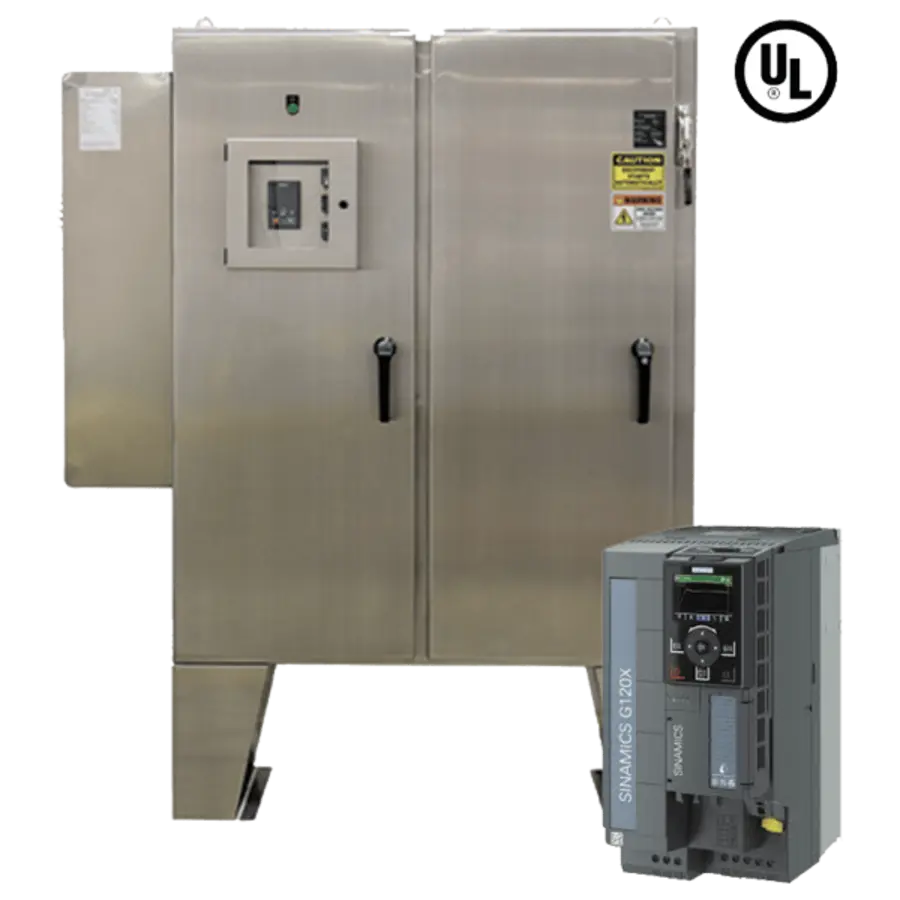
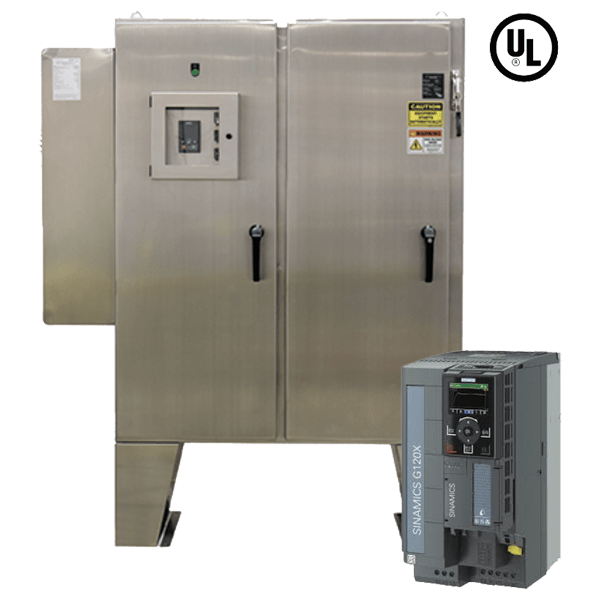
Source: worldwideelectric
Look externally for cracked cable jackets, damaged glands, loose covers, corrosion, water tracks, condensation, or an enclosure door that does not seal. Keep in mind that moisture may be intermittent: a motor can run when dry and fault after a washdown or humid production period.
Insulation-resistance testing and motor-circuit isolation require qualified personnel. The drive manufacturer’s instructions must be followed because inappropriate test methods or connections can damage electronic equipment. Do not apply insulation-testing voltage through a connected VFD.
Overtemperature faults
A drive may trip on temperature because of high ambient heat, a failed or obstructed cooling fan, blocked filters or vents, undersized enclosure cooling, excessive load, or buildup around heat-dissipation surfaces. Enclosures near ovens, hot process equipment, or enclosed washdown areas deserve particular attention.
With equipment made safe according to plant procedure, inspect accessible vents and cooling paths for dust, packaging debris, grease, or residue. Verify that enclosure doors, seals, and cooling arrangements have not been altered. Cleaning methods must match the enclosure rating and the site’s sanitation procedure; do not direct washdown water at electrical enclosures unless the installed equipment and procedure are specifically intended for it.
Communication and control faults
A VFD may receive its run command and speed reference from a PLC, remote I/O, HMI, analog signal, or industrial network. A communication fault can result from a damaged cable, loose connector, controller fault, power interruption, incorrect address, changed network configuration, or electrical noise.
First establish whether the drive display indicates a network loss, missing speed reference, external fault input, or local/remote mode issue. Check visible external connectors and cable routing for damage without disturbing energized circuits. Maintenance personnel should compare the drive’s communication settings, control source, and network status with the approved machine configuration.
Speed instability or hunting
A motor that surges, hunts, or fails to hold a stable speed may have a control-reference issue, unsuitable tuning, fluctuating process load, slipping mechanical transmission, or feedback problem. On a conveyor, inspect belt tension, chain condition, gearbox operation, and product accumulation. On a pump or mixer, consider whether process conditions are changing the load.
Avoid adjusting control-loop or motor-tuning parameters by trial and error. Save or document the existing configuration before any authorized change, and verify results under controlled operating conditions.
Food-plant checks that are often missed
Food machinery adds environmental and operational factors that can make variable frequency drive common issues harder to diagnose:
- Washdown paths: Check whether spray, runoff, or condensation can reach the drive enclosure, cable entries, local disconnect, motor terminal box, or connectors.
- Sanitation damage: Look for missing gaskets, cracked conduit fittings, degraded seals, corrosion, and unapproved enclosure penetrations.
- Product buildup: Residue beneath conveyors, around sprockets, or near pump and mixer components can increase motor load.
- Changeover history: A problem starting after a recipe, speed, belt, product, or tooling change may be process-related rather than electrical.
- Cabinet cooling: Filters, fans, and vents need inspection as part of maintenance planning, using the equipment manufacturer’s requirements.
- Motor replacement: A replacement motor with different nameplate characteristics or wiring arrangement may require authorized parameter review before operation.
Safe restart steps after a VFD trip
Restart only after the immediate cause has been assessed and the machine is safe to operate. A practical restart verification sequence is:
- Confirm the product area is clear and guards, covers, and access doors are restored.
- Verify that no one is working on or inside the equipment and that all lockout/tagout controls have been managed by authorized personnel under the site procedure.
- Remove only the cause that has been positively identified, such as cleared product buildup or an acknowledged upstream power event. Do not bypass interlocks, safety circuits, overload protection, or fault inputs.
- Check that the drive enclosure is closed, dry, and undamaged before operation.
- Reset the fault once through the normal operator interface or approved control sequence.
- Start at the normal approved operating condition. Observe motor direction, speed response, conveyor tracking, vibration, noise, and load behavior.
- Confirm that the drive remains stable through startup and normal production load. Record recurrent alarms, even if the machine continues running.
If the same fault returns, stop repeated reset attempts. Repeated restarting can worsen mechanical damage, heat stress, or electrical faults and can obscure the original symptom.
When to call qualified electrical or drive-service personnel
Escalate promptly when there is evidence of damaged wiring, exposed conductors, burning odor, smoke, water inside an electrical enclosure, repeated ground faults, repeated supply faults, or suspected internal drive failure. Also escalate when the drive requires live electrical testing, insulation testing, replacement of power components, firmware work, safety-circuit diagnosis, or changes to motor data, protective limits, braking, or control parameters.
A qualified technician should also investigate when a fault follows a motor replacement, drive replacement, major mechanical alteration, or recurring washdown exposure. Restoring operation without correcting the underlying condition can convert a short stoppage into a damaged motor, gearbox, cable, or drive.
Preventing repeat VFD failures
The most useful preventive action is to connect drive fault history with machine and sanitation history. Keep a simple record of fault codes, time of occurrence, operating state, affected product line, recent maintenance, and washdown conditions. Patterns often emerge: an overload at a particular product rate, a communication loss after a cabinet is opened, or a ground fault after a specific cleaning activity.
Include drive enclosures, motor terminal boxes, cable entries, cooling paths, and conveyor load checks in routine inspections. Confirm that replacement parts and enclosure modifications preserve the original environmental protection and machine design. For each drive family, retain the correct manufacturer manual, approved parameter backup, wiring drawings, and current motor information. That documentation makes future VFD troubleshooting faster and reduces unnecessary drive replacement.
References
- TOP 10 common faults and troubleshooting methods of VFD - tetranca. (n.d.). https://tetranca.com/top-10-common-faults-and-troubleshooting-methods-of-vfd
- VFD Troubleshooting Guide. (n.d.). https://industrialrepairstore.com/vfd-troubleshooting-guide-fault-codes-checklist
- VFD Troubleshooting: Common Faults & Solutions. (n.d.). https://mceautomation.com/resources/vfd-troubleshooting-common-faults?hs_amp=true
- Common VFD Faults and Troubleshooting Techniques – Powerhouse Express. (n.d.). https://powerhouseexpress.com.pk/blogs/news/common-vfd-faults-and-troubleshooting-techniques
- What are the Common VFD Faults? Identification and Solutions. (n.d.). https://www.indmallautomation.com/faq/what-are-the-common-vfd-faults
- VFD Troubleshooting: Common Faults & Solutions. (n.d.). https://mceautomation.com/resources/vfd-troubleshooting-common-faults
- VFD Troubleshooting: 10 Common Issues & Field Fixes | eilitetech. (n.d.). https://eilitetech.com/vfd-troubleshooting-common-issues
- Common VFD Faults and How to Fix Them Fast - Delta Wye Electric. (n.d.). https://deltawye.com/common-vfd-faults-and-solutions